Keyboard Shortcuts
Set familiar keyboard shortcuts here to move through Blackboard more efficiently.
WARNING
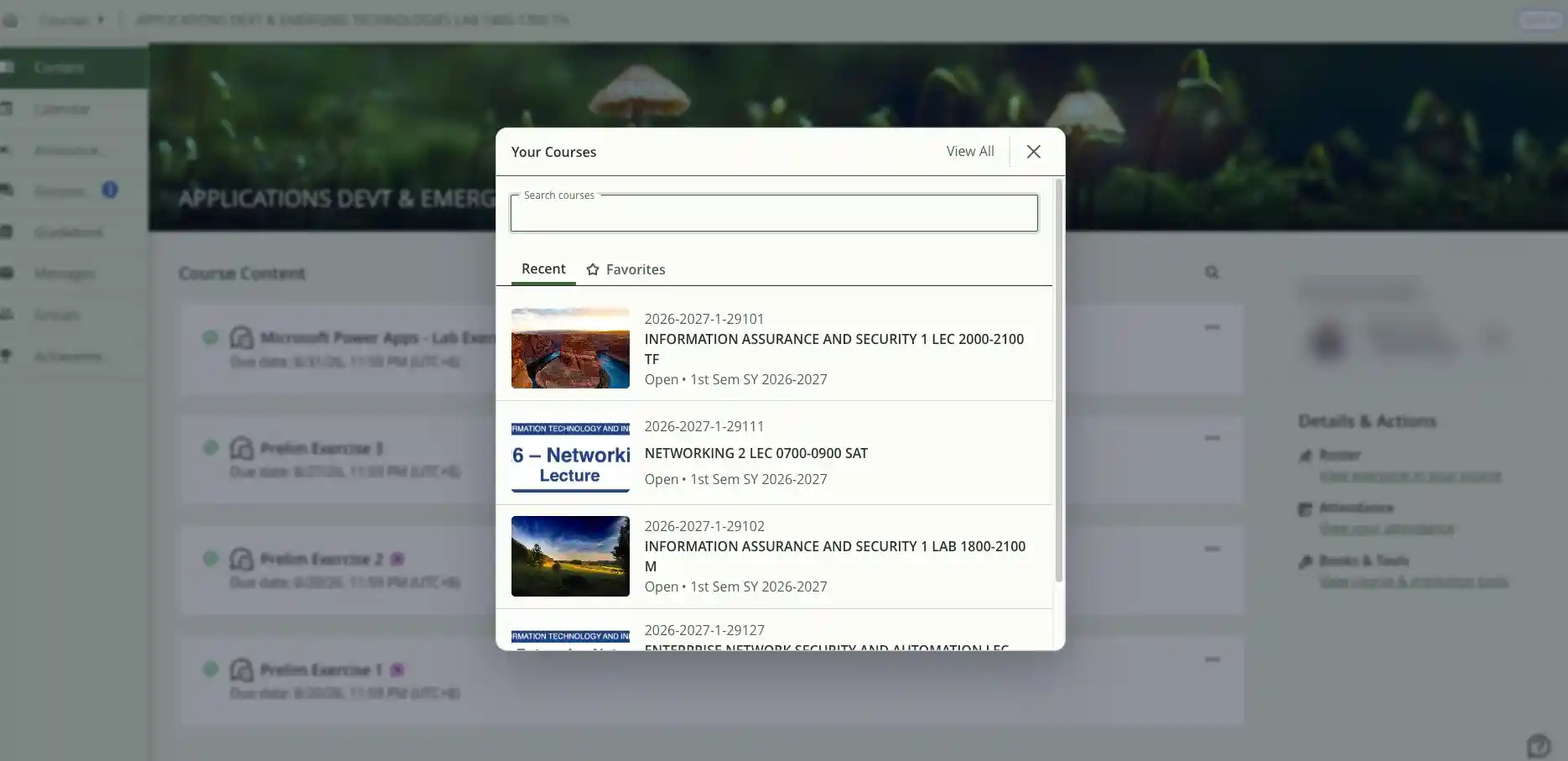
On an individual Course Content page, Search Current Page searches that course's content. To search for another course without leaving the page, use the Courses shortcut instead.
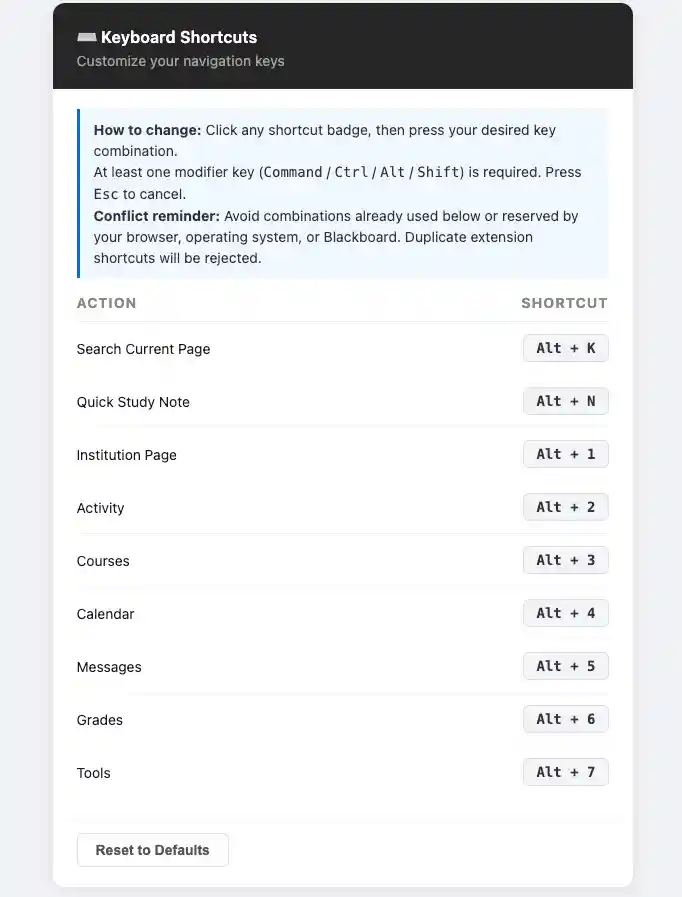
How to Change a Shortcut
- Click any shortcut badge, then press your desired key combination.
- Include at least one modifier key: Command, Ctrl, Alt, or Shift.
- Press Esc to cancel.
Avoid Shortcut Conflicts
- Avoid combinations already used below or reserved by your browser, operating system, or Blackboard. Duplicate extension shortcuts will be rejected.
Search Window Keyboard Controls
- In the Courses search window, use the arrow keys to choose a result. Press Esc to clear the search and close the window.
- You can search by year, keyword, or section number.
Search Current Page
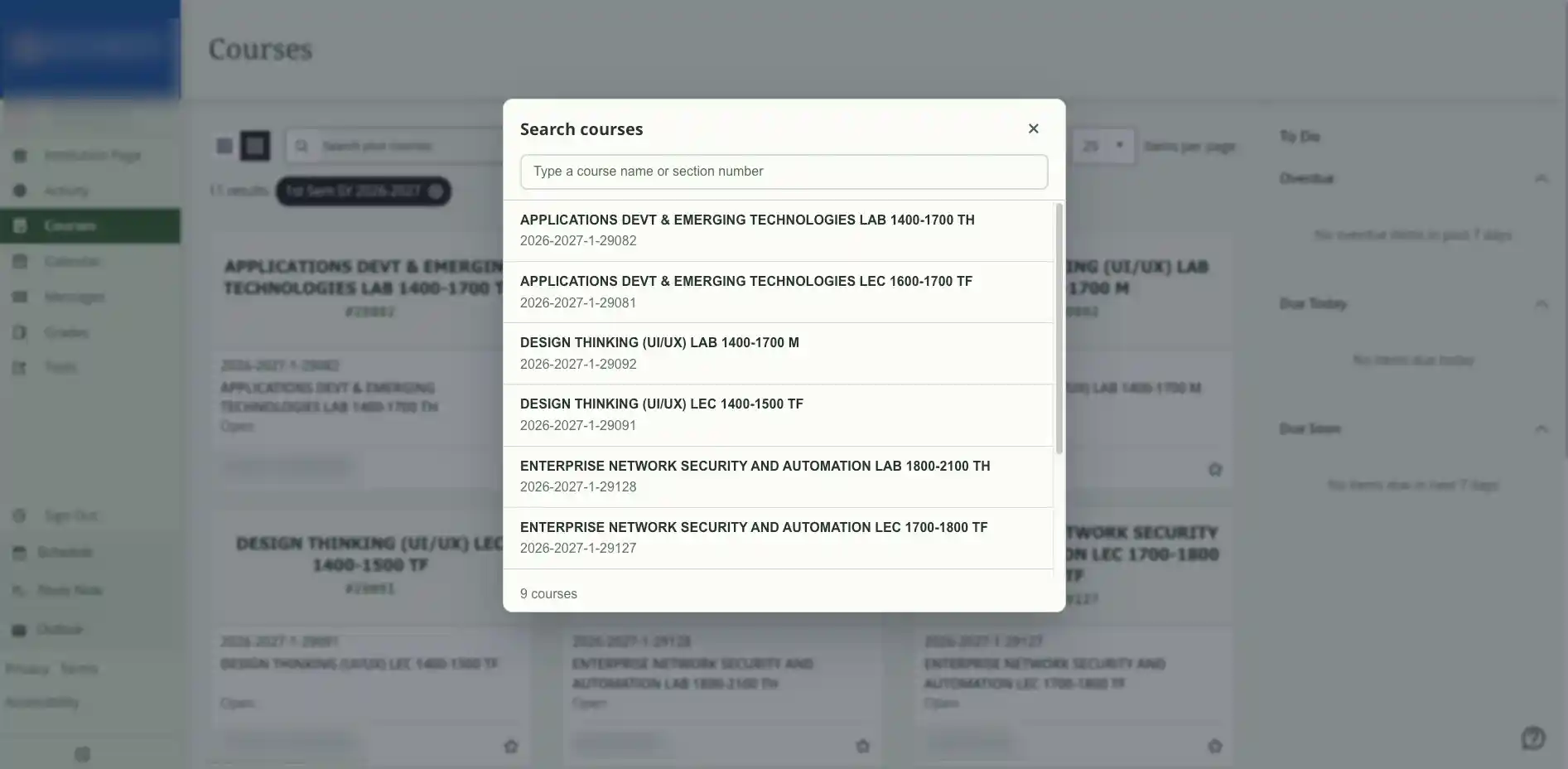
Course Search from a Course Content Page